A simple way to temporarily hook into fCraft's Logger. Make sure to dispose this class when you are done recording. The easiest way to ensure that is with a using(){...} block.
More...
|
| | LogRecorder () |
| | Creates a recorder for errors and warnings.
|
| |
| | LogRecorder (bool restrictToThisThread,[NotNull] params LogType[] thingsToLog) |
| | Creates a custom recorder.
|
| |
| void | Dispose () |
| | Stops recording the messages (cannot be resumed). This method should be called when you are done with the object. If LogRecorder is in a using() block, this will be done for you (recommended).
|
| |
|
| bool | HasMessages [get, set] |
| | Whether any messages at all have been recorded.
|
| |
| bool | HasErrors [get, set] |
| | Whether any errors have been recorded.
|
| |
| bool | HasWarnings [get, set] |
| | Whether any warnings have been recorded.
|
| |
| string[] | MessageList [get] |
| | An array of individual recorded messages.
|
| |
| string | MessageString [get] |
| | All messages in one block of text, separated by newlines.
|
| |
A simple way to temporarily hook into fCraft's Logger. Make sure to dispose this class when you are done recording. The easiest way to ensure that is with a using(){...} block.
| fCraft.LogRecorder.LogRecorder |
( |
| ) |
|
Creates a recorder for errors and warnings.
| fCraft.LogRecorder.LogRecorder |
( |
bool |
restrictToThisThread, |
|
|
[NotNull] params LogType[] |
thingsToLog |
|
) |
| |
Creates a custom recorder.
- Parameters
-
| restrictToThisThread | Whether this log recorder should limit recording to messages emitted from the same thread that created this object. |
| thingsToLog | A list or array of LogTypes to record. |
| void fCraft.LogRecorder.Dispose |
( |
| ) |
|
Stops recording the messages (cannot be resumed). This method should be called when you are done with the object. If LogRecorder is in a using() block, this will be done for you (recommended).
| bool fCraft.LogRecorder.HasErrors |
|
getset |
Whether any errors have been recorded.
| bool fCraft.LogRecorder.HasMessages |
|
getset |
Whether any messages at all have been recorded.
| bool fCraft.LogRecorder.HasWarnings |
|
getset |
Whether any warnings have been recorded.
| string [] fCraft.LogRecorder.MessageList |
|
get |
An array of individual recorded messages.
| string fCraft.LogRecorder.MessageString |
|
get |
All messages in one block of text, separated by newlines.
The documentation for this class was generated from the following file:

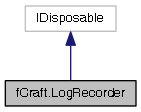
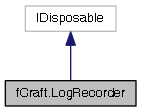
 Inheritance diagram for fCraft.LogRecorder:
 1.8.2
1.8.2