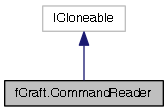
A text scanner that aids parsing chat commands and their arguments. Breaks up a message into tokens at spaces. Treats quoted strings as whole tokens.
More...
|
| | CommandReader ([NotNull] CommandReader other) |
| | Creates a copy of an existing command.
|
| |
| | CommandReader ([NotNull] string rawMessage) |
| | Creates a command from a raw message.
|
| |
| object | Clone () |
| | Creates a copy of this command. Use the copy constructor instead of this, if possible.
|
| |
| string | Next () |
| | Returns the next command argument. A single "argument" is either a word that ends with whitespace, or several words in double quotes ("").
|
| |
| bool | NextInt (out int number) |
| | Returns the next command argument, parsed as an integer.
|
| |
| string | NextAll () |
| | Returns the rest of command's text, from current offset to the end of string. If there is nothing to return (i.e. if string ends at the current offset), returns empty string.
|
| |
| void | Rewind () |
| | Resets the argument offset. After calling Rewind, arguments can be read from the beginning again.
|
| |
| bool | NextBlock ([CanBeNull] Player player, bool allowNoneBlock, out Block block) |
| | Parses next parameter as a Minecraft block name. Messages warnings directly to the player in case of problems.
|
| |
| bool | NextBlockWithParam ([CanBeNull] Player player, bool allowNoneBlock, out Block block, out int param) |
| | Parses next parameter as a Minecraft block name. Allows an optional integer parameter to follow the block name after a slash, e.g. "BlockName/#" Messages warnings directly to the player in case of problems.
|
| |
| override string | ToString () |
| |
|
| readonly string | RawMessage |
| | Raw message that is being parsed, including the slash and the command name.
|
| |
|
| CommandDescriptor | Descriptor [get, set] |
| | Command descriptor associated with this command. May be null of command was not recognized by name.
|
| |
| int | Offset [get, set] |
| | Gets or sets current offset, in characters, from the beginning of the raw message.
|
| |
| string | Name [get, set] |
| | Name (lowercase) of the command.
|
| |
| bool | IsConfirmed [get, set] |
| | Whether this command has been confirmed by the user (with /ok)
|
| |
| bool | HasNext [get] |
| | Checks whether there is another argument available. Does not modify the offset.
|
| |
| bool | HasInt [get] |
| | Checks whether there there is an int argument available. Does not modify the offset.
|
| |
| int | CountRemaining [get] |
| | Counts the number of arguments left in this command. Does not modify the offset.
|
| |
| int | Count [get] |
| | Counts the total number of arguments. Does not modify the offset.
|
| |
A text scanner that aids parsing chat commands and their arguments. Breaks up a message into tokens at spaces. Treats quoted strings as whole tokens.
| fCraft.CommandReader.CommandReader |
( |
[NotNull] CommandReader |
other | ) |
|
Creates a copy of an existing command.
| fCraft.CommandReader.CommandReader |
( |
[NotNull] string |
rawMessage | ) |
|
Creates a command from a raw message.
| object fCraft.CommandReader.Clone |
( |
| ) |
|
Creates a copy of this command. Use the copy constructor instead of this, if possible.
| string fCraft.CommandReader.Next |
( |
| ) |
|
Returns the next command argument. A single "argument" is either a word that ends with whitespace, or several words in double quotes ("").
- Returns
- Next argument (string), or null if there are no more arguments.
| string fCraft.CommandReader.NextAll |
( |
| ) |
|
Returns the rest of command's text, from current offset to the end of string. If there is nothing to return (i.e. if string ends at the current offset), returns empty string.
- Returns
- The rest of the command, or an empty string.
| bool fCraft.CommandReader.NextBlock |
( |
[CanBeNull] Player |
player, |
|
|
bool |
allowNoneBlock, |
|
|
out Block |
block |
|
) |
| |
Parses next parameter as a Minecraft block name. Messages warnings directly to the player in case of problems.
- Parameters
-
| player | Player to send warnings to (if any come up). |
| allowNoneBlock | Whether "none"/"skip" blocktype is allowed. |
| block | On success, this is set to the given block type. On failure, this is set to Block.None |
- Returns
- True on success. False if no more parameters were given; if next parameter could not be parsed as a block name; or if "none" blocktype was given and allowNoneBlock is false.
| bool fCraft.CommandReader.NextBlockWithParam |
( |
[CanBeNull] Player |
player, |
|
|
bool |
allowNoneBlock, |
|
|
out Block |
block, |
|
|
out int |
param |
|
) |
| |
Parses next parameter as a Minecraft block name. Allows an optional integer parameter to follow the block name after a slash, e.g. "BlockName/#" Messages warnings directly to the player in case of problems.
- Parameters
-
| player | Player to send warnings to (if any come up). |
| allowNoneBlock | Whether "none"/"skip" blocktype is allowed. |
| block | On success, this is set to the given block type. On failure, this is set to Block.None |
| param | Optional integer parameter. Set to 1 if not given. |
- Returns
- True on success. False if no more parameters were given; if next parameter could not be parsed as a block name; if optional parameter was given but was not an integer; or if "none" blocktype was given and allowNoneBlock is false.
| bool fCraft.CommandReader.NextInt |
( |
out int |
number | ) |
|
Returns the next command argument, parsed as an integer.
- Parameters
-
| number | Set to the argument's value if parsing succeeded, or zero if parsing failed or if there are no more arguments. |
- Returns
- Returns true if parsing succeeded, and false if parsing failed or if there are no more arguments.
| void fCraft.CommandReader.Rewind |
( |
| ) |
|
Resets the argument offset. After calling Rewind, arguments can be read from the beginning again.
| override string fCraft.CommandReader.ToString |
( |
| ) |
|
| readonly string fCraft.CommandReader.RawMessage |
Raw message that is being parsed, including the slash and the command name.
| int fCraft.CommandReader.Count |
|
get |
Counts the total number of arguments. Does not modify the offset.
| int fCraft.CommandReader.CountRemaining |
|
get |
Counts the number of arguments left in this command. Does not modify the offset.
Command descriptor associated with this command. May be null of command was not recognized by name.
| bool fCraft.CommandReader.HasInt |
|
get |
Checks whether there there is an int argument available. Does not modify the offset.
| bool fCraft.CommandReader.HasNext |
|
get |
Checks whether there is another argument available. Does not modify the offset.
| bool fCraft.CommandReader.IsConfirmed |
|
getset |
Whether this command has been confirmed by the user (with /ok)
| string fCraft.CommandReader.Name |
|
getset |
Name (lowercase) of the command.
| int fCraft.CommandReader.Offset |
|
getset |
Gets or sets current offset, in characters, from the beginning of the raw message.
The documentation for this class was generated from the following file:

 1.8.2
1.8.2

