List of brushes: Difference between revisions
Jump to navigation
Jump to search
| Line 58: | Line 58: | ||
(200% scale -- double the texture scale; 50% turbulence -- 2x smoother than usual; '1234' seed; red-orange-yellow gradient) | (200% scale -- double the texture scale; 50% turbulence -- 2x smoother than usual; '1234' seed; red-orange-yellow gradient) | ||
<gallery widths=t150px heights=150px perrow=3 caption="Comparison of scale/turbulence parameters"> | |||
<gallery widths= | |||
Image:Cloudy-50%-50T.png|<code>50% 50T</code> | Image:Cloudy-50%-50T.png|<code>50% 50T</code> | ||
Image:Cloudy-50%-100T.png|<code>50% 100T</code> | Image:Cloudy-50%-100T.png|<code>50% 100T</code> | ||
Revision as of 08:47, 31 May 2013
See /Brush page for general information on using brushes.
Checkered Brush
- Checkered brush makes a checkerboard pattern.
- If two block names are given, brush alternates them. If one block name is given, this brush only draws every other block (leaving half of blocks untouched).
-
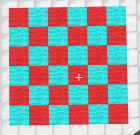
/c red cyan -
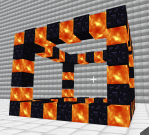
/cw obsidian lava -
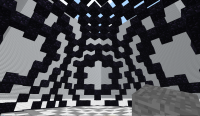
/eh obsidian(with moiré)


Rainbow Brush
- Rainbow brush is simple: it makes a rainbow pattern. It was originally made just as a test, but testers liked it. It takes no parameters.
-
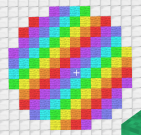
/e -
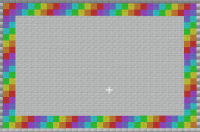
/c(as a picture frame) -
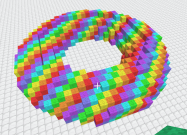
/torus


Random Brush
- Random brush makes a random pattern from one or more blocktypes.
- If two or more block names are given, each block has an equal chance to appear on the pattern (50/50 for two blocks, 33/33/33 for three, 25/25/25/25 for four, etc). If only one block name is given, this brush leaves half of blocks untouched.
- For advanced use, you can specify percentage or ratio of each block in the mix. For example:
/brush random red/60 white/40makes a pattern that's 60% red and 40% white blocks. Same thing can be accomplished by doing/brush random red/3 white/2(3 red blocks for every 2 white block). You can omit the number if ratio is 1 (writingsomeBlock/1is same as justsomeBlock).
-
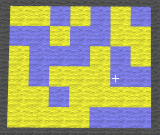
/c yellow blue -
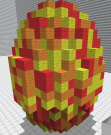
/e red orange yellow -
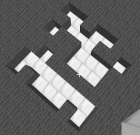
/c air -
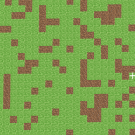
/c grass/75 dirt/25 -
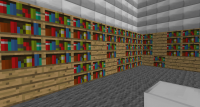
/c wood books/5 -
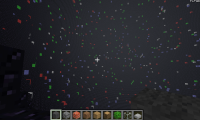
/eh obsidian/1000 white red blue green


Cloudy Brush
- Creates a swirling pattern of two or more block types (Perlin noise). If only one block name is given, leaves every other block untouched. Usage similar to Random brush.
-
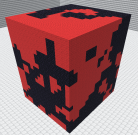
/c red obsidian -
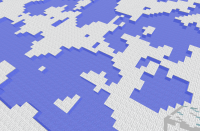
/c water white -
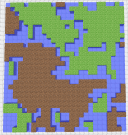
/c grass water dirt -
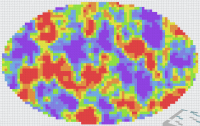
/e red orange yellow lime aqua blue indigo -
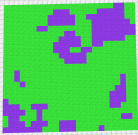
/c green/75 indigo/25 -
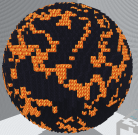
/e obsidian lava obsidian -
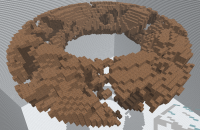
/torus dirt air/2


There are three optional parameters you can use with the cloudy brush:
- __% is for texture scale:
100%is default. Anything between10%and1000%works. Larger percentage = larger clouds - __T is for turbulence: Default is
100T. Anything between10Tand1000Tworks. Higher turbulence = rougher texture. Lower turbulence = more smoothed texture. - __S is for seed: Default is random. any hex number between
0000SandFFFFSworks. Texture of brushes with same seed number will line up.
Any or all of these parameters can be put before or after the list of blocks, in any order. They were introduced in fCraft 0.632. Here is an example of a command using all these features:
/Brush cloudy 200% 50T 1234S red orange yellow
(200% scale -- double the texture scale; 50% turbulence -- 2x smoother than usual; '1234' seed; red-orange-yellow gradient)
- Comparison of scale/turbulence parameters
-
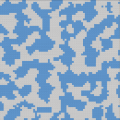
50% 50T -
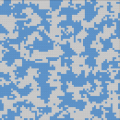
50% 100T -
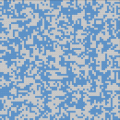
50% 200T -
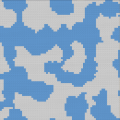
100% 50T -
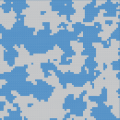
100% 100T(default) -
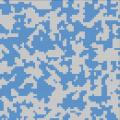
100% 200T -
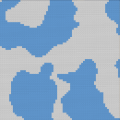
200% 50T -
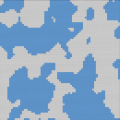
200% 100T -
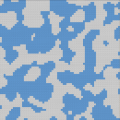
200% 200T


Replace Brush
- Replaces blocks of a given type(s) with another type. Usage similar to /Replace
ReplaceNot Brush
- Replaces all blocks except the given type(s) with another type. Usage similar to /ReplaceNot command.
ReplaceBrush Brush
- Replaces blocks of a given type with a pattern created by another brush. Usage similar to /ReplaceBrush command.