/Env: Difference between revisions
Jump to navigation
Jump to search
No edit summary |
|||
| Line 52: | Line 52: | ||
==Gallery== | ==Gallery== | ||
<gallery widths=200px heights=135px perrow=3> | <gallery widths=200px heights=135px perrow=3> | ||
Image:env1.jpg| | Image:env1.jpg|<code>cloud 000 / sky 000 / fog 000</code> | ||
Image:env2.jpg| | Image:env2.jpg|<code>fog 5CF</code> | ||
Image:env3.jpg| | Image:env3.jpg|<code>cloud 000 / sky FC0 / fog F60</code> | ||
Image:env4.jpg| | Image:env4.jpg|<code>cloud E8E074 / sky E8E074 / fog E8E074</code> | ||
Image:env5.png| | Image:env5.png|<code>edge pink</code> | ||
</gallery> | </gallery> | ||
{{LastUpdated|1109}} | {{LastUpdated|1109}} | ||
Revision as of 13:49, 21 March 2012
| Command | |
| Env Changes world environment settings | |
|---|---|
| Usage |
/Env /Env <World> /Env <World> Normal /Env <World> Cloud <Color> /Env <World> Fog <Color> /Env <World> Sky <Color> /Env <World> Level <#> /Env <World> Edge <Block> |
| Category | World |
| Required permissions | ManageWorlds |
| Usable from console? | No |
| Introduced in | fCraft 0.600 |
Changes environment setting. Changes are only visible to players using World of Minecraft client 1.9+. Any time you make changes, rejoin the world to see the effect. Colors can be specified in either 3-digit or 6-digit hex format, e.g. #F60 or #214365. You can use a tool like ColorPicker.com to find a color you like.
/Env
- Shows environment settings for your current world.
/Env <WorldName>
- Shows environment settings for a given current world.
/Env <WorldName> Normal
- Resets all environmental settings to default/normal settings.
/Env <WorldName> Cloud <Color>
- Changes cloud color for the given world. Use "normal" instead of color to reset.
/Env <WorldName> Fog <Color>
- Changes fog color for the given world. Fog is not fully opaque, so color of the sky will shine through. Use "normal" instead of color to reset.
/Env <WorldName> Sky <Color>
- Changes sky color for the given world. Use "normal" instead of color to reset.
/Env <WorldName> Level <#>
- Changes the altitude/level of the edges of the map, in terms of blocks from the bottom of the map. Default is MapHeight/2. Use "normal" instead of a number to reset.
/Env <WorldName> Edge <Block>
- Changes the block texture on edges of the map. Note that not all blocktypes are usable. Use "water" or "normal" to reset.
Gallery
-
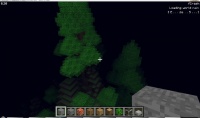
cloud 000 / sky 000 / fog 000 -
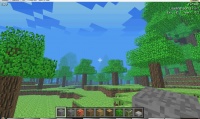
fog 5CF -
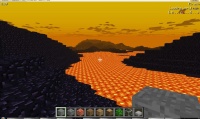
cloud 000 / sky FC0 / fog F60 -
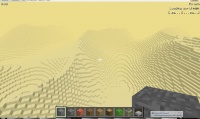
cloud E8E074 / sky E8E074 / fog E8E074 -
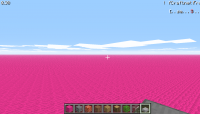
edge pink


