/Gen: Difference between revisions
Jump to navigation
Jump to search
No edit summary |
|||
| Line 25: | Line 25: | ||
==Theme guide== | ==Theme guide== | ||
<gallery widths=150px heights=105px perrow= | <gallery widths=150px heights=105px perrow=3> | ||
Image:Gen_theme_arctic.png|<center>Arctic theme</center> | Image:Gen_theme_arctic.png|<center>Arctic theme</center> | ||
Image:Gen_theme_desert.png|<center>Desert theme</center> | Image:Gen_theme_desert.png|<center>Desert theme</center> | ||
| Line 33: | Line 33: | ||
Image:Gen_theme_swamp.png|<center>Swamp theme</center> | Image:Gen_theme_swamp.png|<center>Swamp theme</center> | ||
</gallery> | </gallery> | ||
==Template guide== | ==Template guide== | ||
Revision as of 02:55, 8 October 2011
| Command | |
| Gen Generates a new map file. | |
|---|---|
| Usage |
/Gen Theme Template /Gen Theme Template Width Length Height /Gen Theme Template Width Length Height FileName |
| Category | World |
| Required permissions | ManageWorlds |
| Usable from console? | Yes |
| Introduced in | [[Version history#{{{v}}}|fCraft {{{v}}}]] |
Generates a new map file. Can create many different kinds of terrain. The "theme" defines the appearance (type of blocks used): Arctic, Desert, Forest, Grass, Hell, Swamp. The "template" defines the shape of terrain: Archipelago, Atoll, Bay, Dunes (best with Desert theme), Flat, Hills, Ice (best with Arctic theme), Island, Lake, Mountains, Peninsula, Random (unpredictable), River, and Streams.
/Gen Theme Template
- Replaces the current world's map with a new one of the same size.
/Gen Theme Template Width Length Height
- Replaces the current world's map with a new one of given dimensions.
/Gen Theme Template Width Length Height FileName
- Creates a new map file with the given terrain type and dimensions. You can then load the new map by calling /WLoad
Theme guide
-
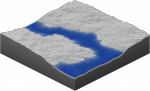
Arctic theme -
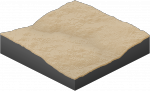
Desert theme -
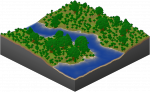
Forest theme -
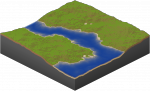
Grass theme -
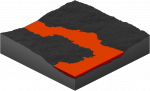
Hell theme -
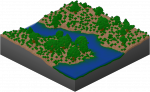
Swamp theme


Template guide
-
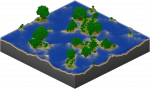
Archipelago -
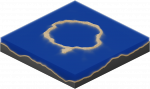
Atoll -
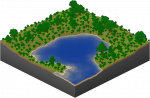
Bay -
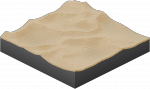
Dunes -
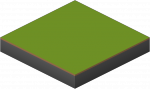
Flat -
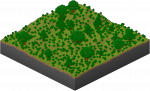
Hills -
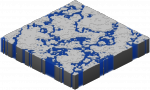
Ice -
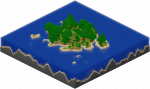
Island -
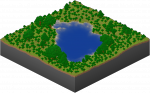
Lake -
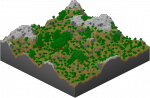
Mountains -
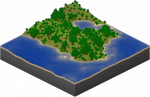
Peninsula -
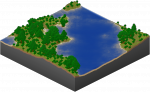
Random -
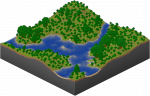
River -
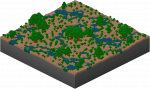
Streams


